Azure Active Directory URLs
Azure Active Directory URLs
This topic is specific to the Redirect URI settings for an existing AZ Active Directory App. For information on creating and configuring Azure AD security for IntraMaps, see IntraMaps - Configuring Azure Active Directory Security
Note: This will usually be actioned by your organisation's Network Administrator.
A reminder the Spatial Cloud Redirect URIs to add to your relevant Azure AD app registration are case sensitive and should always be lower case.
The URIs to use are:
https://<customercode>.spatial.t1cloud.com/spatial/intramaps/applicationengine/frontend/logon/
https://<customercode>.spatial.t1cloud.com/spatial/mapmanager/logon/
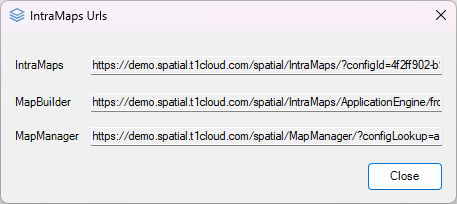
If you are unsure of the <customercode> to use, you can can confirm by navigating to the Options>IntraMaps Urls menu option in ConfigManager.
Troubleshooting
If this error is displayed in IntraMaps
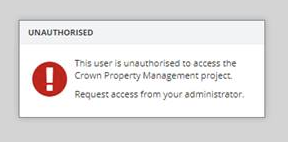
The user is either not authorised to access any of the IntraMaps module, or you have entered the wrong user in IntraMaps (i.e jsmith instead of John Smith)